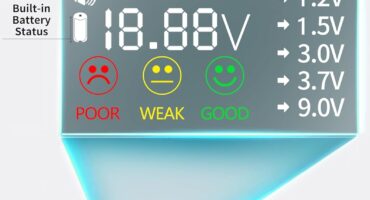
Have you ever wondered how to ensure the safety and functionality of your electrical outlets? If so, the Klein Tools RT250 GFCI Outlet Tester with LCD Display might just be what you need to keep those worries at bay.

Unveiling the Klein Tools RT250 GFCI Outlet Tester
The Klein Tools RT250 is more than just an outlet tester; it’s a reliable tool designed to help you check the safety of your electrical receptacles effortlessly. With its user-friendly design and advanced features, it quickly becomes a must-have for anyone dealing with electrical systems.
Key Features and Specifications
Let’s break down what makes the Klein Tools RT250 stand out among other testers on the market.
| Feature | Description |
|---|---|
| Clear LCD Readout | A large backlit LCD for easy voltage reading and wiring conditions. |
| Trip Time Display | Shows the time required to trip a GFCI device for troubleshooting. |
| Common Wiring Fault Detection | Identifies typical wiring faults ensuring electrical safety. |
| Open Neutral & Ground Detection | Innovative system for detecting Open Neutral and Open Ground faults. |
| Auto-Hold Feature | Holds the reading for hard-to-reach outlets. |
| Visible LED Indicators | Bright LEDs that illuminate conditions for easy identification. |
| Safety Rating | CAT II 135V safety rating for reliable electrical testing. |
Clear LCD Readout for Convenience
One of the standout features of the Klein Tools RT250 is its clear LCD readout. With a large backlit display, reading voltage levels and wiring conditions becomes a breeze, even in dimly lit areas. You won’t be squinting at small numbers; the visibility of this tester makes your job a lot simpler.
Trip Time Display for Quick Troubleshooting
The trip time display feature is invaluable when it comes to diagnosing issues. It shows you the exact time it takes for a GFCI device to trip. This functionality allows you to identify potential problems quickly without second-guessing yourself. If you notice an unusually long trip time, it can indicate underlying issues that need your attention.
Detecting Common Wiring Faults
Electrical safety is paramount, and the ability to detect common wiring faults gives the Klein RT250 a significant edge. By identifying issues like reversed polarity or open circuits, you can ensure that your GFCI receptacles function properly. This way, you can protect not just your electrical appliances, but also your home and loved ones from potential hazards.
Innovative Open Neutral and Open Ground Detection
Klein Tools is leading the way with its patent-pending open neutral and open ground detection system. These features are crucial for safety since issues with neutral or ground connections can lead to electrical shocks or equipment failure. The RT250 will alert you when such wiring faults are present, further enhancing your safety measures.
Auto-Hold Feature: User-Centric Design
Electrical outlets can sometimes be tricky to reach, especially in tight spaces. The convenient auto-hold feature of the Klein RT250 comes in handy here. Once you take a reading, the tester holds it on the display, allowing you to take note of the information without needing to awkwardly contort yourself. It’s attention to these small but impactful details that make this outlet tester genuinely user-friendly.
Bright LED Indicators for Quick Reference
The visual indicators on the RT250 are another aspect that enhances its usability. The bright green and red LEDs provide clear visual signals of wiring conditions. Green means everything is operating normally, while red signals an issue. This immediate, visual feedback helps you identify issues quickly, even if you’re not familiar with technical jargon.
Comprehensive Safety with CAT II 135V Rating
Safety should always be your top priority when working with electricity, and the Klein Tools RT250 meets a CAT II 135V safety rating. This designation means it’s designed for use in applications up to 135 volts, making it a reliable choice for home use and many job sites. You can trust this tester to perform well without putting you at risk.

Using the Klein Tools RT250: A Step-By-Step Guide
Using the RT250 is straightforward, even for those who may not be particularly tech-savvy. Here’s a simple guide to getting started with this versatile tool.
Step 1: Prepare Your Workspace
Before you begin, make sure you are in a safe environment. Check the outlet for any visible signs of damage or wear. If everything looks okay, you’re ready to proceed.
Step 2: Insert the Tester
Plug the Klein RT250 into the outlet you wish to test. Ensure that it is inserted firmly. The device will turn on automatically upon connection.
Step 3: Read the LCD Display
Observe the LCD readout. It will display both the voltage and any potential wiring issues. Make sure you understand what the readout indicates about the outlet’s condition.
Step 4: Check Trip Time
If you’re testing a GFCI outlet, take note of the trip time. If the time displayed is longer than expected, it may be time to replace the GFCI device.
Step 5: Review LED Indicators
Check the LED indicators. A green light means everything is functioning well, while a red light will indicate a problem.
Step 6: Document Your Findings
For home maintenance or electrical work, documenting your findings can be useful. Take notes on the readings and any concerns you might have.

Why You Need the Klein Tools RT250
Investing in the Klein Tools RT250 can save you time, money, and potential hazards in the long run. Here’s why it should be part of your toolkit.
Ensures Electrical Safety
With its advanced detection capabilities, the RT250 enhances your electrical safety measures. You’ll have peace of mind knowing that you can quickly test and troubleshoot electrical outlets in your home or workplace.
Simple to Use
The clear readouts and user-friendly design make the RT250 accessible for anyone. Whether you’re a DIY enthusiast or a professional electrician, you’ll appreciate the straightforward functions of this tester.
Versatile Applications
The RT250 isn’t just for residential applications. You can easily use it in commercial settings or while working on construction jobs. Its versatility makes it an essential tool for various electrical troubleshooting tasks.
Cost-Effective Solution
When considering the costs of electrical repairs due to faulty wiring, investing in a reliable tester like the RT250 becomes a no-brainer. It provides an affordable way to prevent expensive issues in the future.

Commonly Asked Questions
You might have some questions about the Klein Tools RT250 and how it operates. Here are a few answers to help clear things up.
How accurate is the Klein Tools RT250?
The Klein RT250 is known for its high accuracy. Its innovative design and advanced features ensure that you can trust the readings and warnings it presents.
Can I use it to test outdoor outlets?
Yes, the RT250 is suitable for various types of outlets, including outdoor ones. Just make sure those outlets are accessible and not exposed to extreme weather conditions while testing.
Do I need any special training to use it?
No special training is required for basic use. With its clear display and straightforward functions, anyone can operate the Klein Tools RT250 with ease.
Is it suitable for professional usage?
Absolutely! Whether you’re a contractor, electrician, or a weekend warrior, the Klein RT250’s reliability and ease of use make it an excellent tool for both professional and home applications.
What should I do if I see a red light?
If you see a red light on your tester, it indicates a wiring issue. Depending on the specific fault detected, it may be wise to consult with a licensed electrician to address the problem safely.

An In-Depth Look at Testing Procedures
Understanding how to conduct reliable tests can maximize the benefits of the Klein Tools RT250. Let’s take a closer look at the testing procedures.
Testing a Standard Outlet
- Insert the Tester: Plug the RT250 into the outlet.
- Observe the Readout: Note the voltage displayed and the LED indicators.
- Analyze the Results: Assess if any alerts indicate wiring faults.
Testing a GFCI Outlet
- Insert the Tester: Place the RT250 into the GFCI outlet.
- Press the Test Button: This will also help you see the trip time.
- Review Display: Check the time on the LCD and note any faults indicated.
Identifying Open Neutral and Ground Issues
- Connect the Tester: Plug it into the outlet in question.
- Check the Results: If it detects either Open Neutral or Open Ground, the system will display these faults.
- Take Action: Address the issues by seeking professional consultation if needed.

Final Thoughts
In the world of electrical testing, the Klein Tools RT250 GFCI Outlet Tester with LCD Display stands out for its combination of user-friendly features and powerful diagnostic capabilities. As you’ve seen, from its intuitive LCD readout to its safety indicators, this tool empowers you to take control of your electrical safety.
Having a reliable tester at your disposal can not only help prevent potentially serious issues but also give you confidence in your electrical work. Remember, understanding your tools can make all the difference in ensuring safety and functionality. So, consider adding the Klein Tools RT250 to your toolkit; it just might become your new go-to for all things electrical!

Disclosure: As an Amazon Associate, I earn from qualifying purchases.